Direct-mode setup
Authenticate the gh CLI, resolve a token, set the repository and port, and start revud in direct mode.
Direct mode runs revu against a GitHub repository as the real authenticated user — no GitHub App, no shared bot identity. Every review comment, reply, and thread resolution posts to GitHub under your own account. This page is the setup reference: authentication and token scopes, how the daemon resolves which repository to review, the port, the durable local store, and seeding a scratch repository with fixture PRs. For the fast install-and-review path, start with the Quickstart; for the shape of the mode alongside mock and broker, see Direct mode.
Prerequisites
- Bun installed.
- GitHub CLI (
gh) installed and authenticated, orGH_TOKEN/GITHUB_TOKENset to a valid personal-access token. - A cloned GitHub repository whose
originremote points to the repository you want to review.
Install from the repo root:
bun installAuthentication
The daemon resolves a GitHub token from the gh credential chain. The first
source that produces a non-empty token wins:
GH_TOKENenvironment variable.GITHUB_TOKENenvironment variable.gh auth token— the credential stored by the GitHub CLI.
If none of these produce a token, startup fails with a clear message. Authenticate the CLI first if you haven't:
gh auth loginThe token is never logged and never sent to the browser. Your email never
appears in any GitHub comment body; only the authenticated gh identity — your
real GitHub login — is visible to other reviewers.
Token scopes
A classic personal-access token (what gh auth login stores) needs a single
top-level scope:
| Scope | Why it is needed |
|---|---|
repo | Full read/write to the target repository — creating branches and commits (Contents read/write), opening and editing pull requests, and posting/reading/resolving review comments and threads (Pull requests read/write). GitHub's classic repo scope is coarse: it is the umbrella that grants all of these. |
For a fine-grained token or a GitHub App installation, the coarse repo
scope decomposes into these repository permissions:
| Permission | Level | Used for |
|---|---|---|
| Contents | Read and write | Push branches/commits; read blobs and trees during sync. |
| Pull requests | Read and write | Open/edit PRs; create, list, and reply to review comments; resolve/unresolve review threads. |
| Metadata | Read | Mandatory baseline whenever any other permission is granted. |
Resolving a review thread uses the GraphQL resolveReviewThread mutation; it is
covered by the same Pull requests write permission (repo for a classic
token). There is no separate scope for it.
The review daemon itself never pushes commits or refs, so for reviewing alone
it needs only Contents: read (plus Pull requests read/write and Metadata
read). The higher Contents: write is only exercised by the fixture seeder —
see Seeding a scratch repository below. If a
scratch repository is private, the classic repo scope already covers
private repositories; a fine-grained token simply needs that repository in its
selected-repositories list.
Verifying your auth
Check the signed-in account and scopes without printing the token:
gh auth status # shows account + token scopes; never echo the tokenThe output's Token scopes: line must include repo. read:org and workflow
are unrelated to direct-mode review and are not required for it.
Identity from git config
The daemon reads your display identity from git config. Both fields must be set:
git config user.name
git config user.email
The lowercased email is the stable key for drafts and viewed state; the name is the display layer. If either is missing, startup fails with an actionable message.
Role defaults to contractor. To start as a lead:
REVU_ROLE=lead bun run revud --directRepository resolution
By default the daemon reads the target repository from the origin remote
(git remote get-url origin) of the clone you launch it from. If origin is not
the repository you want to review, override it — pass --repo owner/name or set
REVU_REPO:
bun run revud --direct --repo octocat/hello-world
# or
REVU_MODE=direct REVU_REPO=octocat/hello-world bun run revud
The --repo flag wins over the REVU_REPO env var. The value must be an
owner/name pair; a trailing .git is tolerated and stripped.
| Source | Precedence | Form |
|---|---|---|
--repo flag | Highest | owner/name |
REVU_REPO env var | Middle | owner/name |
origin remote | Default | git remote get-url origin |
Starting the daemon
From inside a clone of the repository you want to review:
bun run revud --directThe --direct flag and REVU_MODE=direct are equivalent:
REVU_MODE=direct bun run revudThe daemon reads the repository (see above), resolves and validates a token, and
starts an HTTP server on the default port 4780. Open the URL it prints to begin
reviewing.
Port
Override the default port with REVU_PORT:
REVU_MODE=direct REVU_PORT=5000 bun run revudDurable data directory
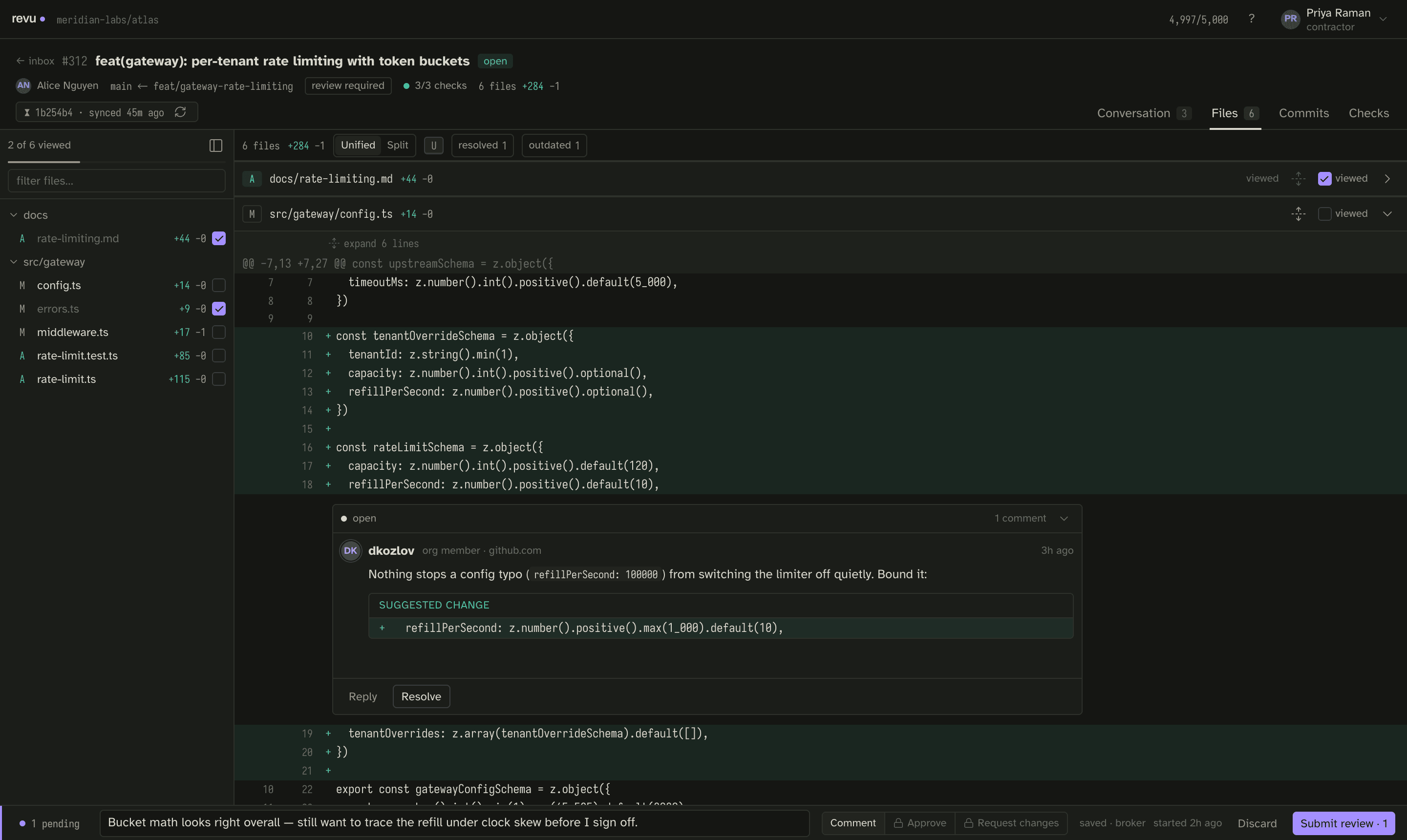
Drafts, snapshots, blobs, viewed state, and preferences persist to a SQLite file
under ${XDG_DATA_HOME:-~/.local/share}/revu. A restart loses nothing: the
daemon re-reads the store and every draft survives. Override the directory with
REVU_DATA_DIR:
REVU_MODE=direct REVU_DATA_DIR=/tmp/my-revu-data bun run revudDrafts save automatically as you type — debounced at 600ms, with a flush on tab hide. A hard crash inside the debounce window can lose up to the last 600ms of typing. A draft is deleted from disk only on confirmed submit success.
Environment variable reference
| Variable | Default | Purpose |
|---|---|---|
REVU_MODE | mock | mock, direct, or broker (reserved). |
REVU_PORT | 4780 | HTTP server port. |
REVU_REPO | origin remote | Repository override (owner/name); a --repo flag wins over it. |
REVU_DATA_DIR | ~/.local/share/revu | Durable SQLite store (drafts, snapshots, blobs, viewed state). |
REVU_ROLE | contractor | Session role; lead to start as a lead. |
REVU_DIST_DIR | packages/app/dist | Directory of the built frontend the daemon serves. |
GH_TOKEN | — | Token override, ahead of GITHUB_TOKEN and gh auth token. |
GITHUB_TOKEN | — | Token override, ahead of gh auth token. |
Seeding a scratch repository
To exercise direct mode against real GitHub without touching a client's code,
seed a scratch repository with fixture pull requests. scripts/seed-scratch.ts
creates PRs that cover the hard cases a review client must survive: a clean small
change, a large change, a mid-review PR with resolved and outdated threads, a
base-advance PR, and a force-push drift PR. The script is idempotent — re-running
converges to the same PR numbers and end state.
bun run scripts/seed-scratch.ts
bun run scripts/seed-scratch.ts --repo owner/name --workspace /path/to/clone
A hard guard refuses to run unless the target satisfies both conditions: it
is on the built-in allow set of intended scratch repositories, and its name
contains one of the markers sandbox, scratch, or fixture. This prevents the
script from mutating a real repository by accident; adding a new scratch target
means both listing it in the allow set and giving it a marked name.
Unlike the review daemon, the seeder pushes branches and force-pushes rewritten
heads, so it needs Contents: write — the classic repo scope satisfies this.
It requires an authenticated gh CLI and never handles a token itself: it shells
out to gh (which supplies the credential) and to plain git (which uses gh's
credential helper over HTTPS).
The review loop
Once the daemon is up:
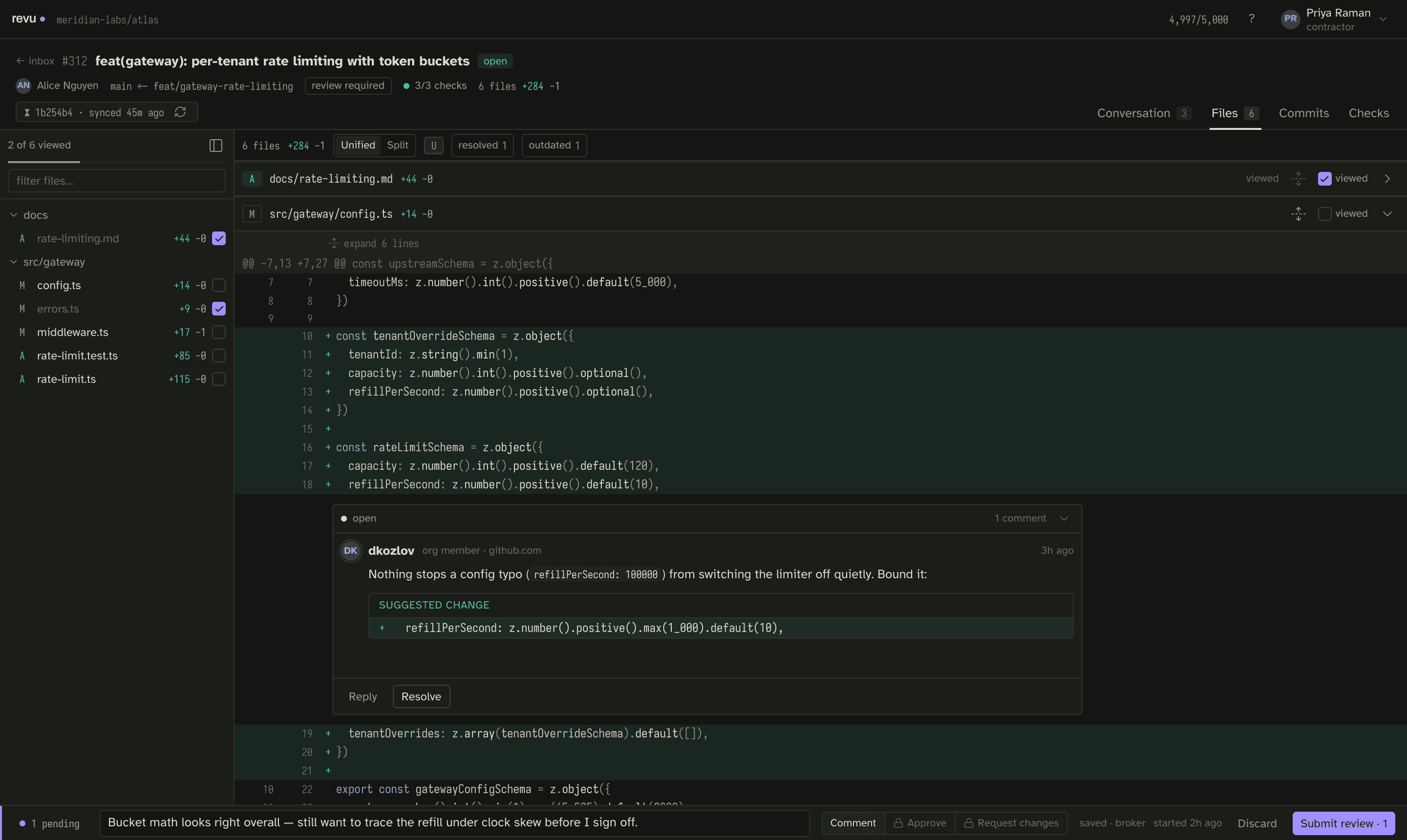
- Sync — click a pull request in the list. The daemon fetches the PR's diff, files, threads, and commits from GitHub REST + GraphQL and stores them locally.
- Comment — open a file, select lines, and write inline comments. The draft saves automatically as you type and survives a restart.
- Submit — submit the draft as a
COMMENT,APPROVE, orREQUEST_CHANGESreview. The draft is deleted from disk only on confirmed success. Ahead_movedresponse (the PR was force-pushed between sync and submit) surfaces as a conflict and keeps the draft intact so you can re-sync and resubmit. - Reply — reply to a review thread. Replies post as single inline comments on the existing thread.
- Resolve / unresolve — mark a review thread resolved or reopen it, via the
GitHub GraphQL
resolveReviewThread/unresolveReviewThreadmutations.
The check gate
Before any change is ready, run the local gate — lint, typecheck, bun test, and
the app build, in order. All four must pass:
bun run checkA note on broker mode
Direct mode is one of two shipped run modes; the other is the in-browser mock. Broker mode — the shared-identity deployment for teams of contractors in disposable workspaces, where a host injects a short-lived GitHub App token and writes are stamped and journaled per human — is designed and documented but not yet a shipped boot option. Only mock and direct modes boot today. See Broker mode for what is reserved.
Where to go next
- Quickstart — install Bun, run mock, then direct mode in under five minutes.
- Direct mode — the mode alongside mock and the reserved broker.
- Concepts — snapshots, drafts, reconcile, the compare key, the rate budget, and identity.
- Keyboard map — the shortcuts; press
?in-app for the full sheet.