Quickstart
Install Bun, run the in-browser mock, then point revud at a real repository in direct mode.
Two paths, both fast. Run the in-browser mock to see the whole tool with no daemon and no token, then start direct mode to review a real repository as your own GitHub identity. The whole thing takes under five minutes.
Prerequisites
- Bun installed.
- For direct mode: GitHub CLI (
gh) installed and authenticated, orGH_TOKEN/GITHUB_TOKENset to a valid personal-access token. - For direct mode: a cloned GitHub repository whose
originremote points to the repository you want to review.
Mock mode needs none of the GitHub prerequisites — just Bun.
1. Install
From the repo root:
bun install2. Run the mock (frontend only)
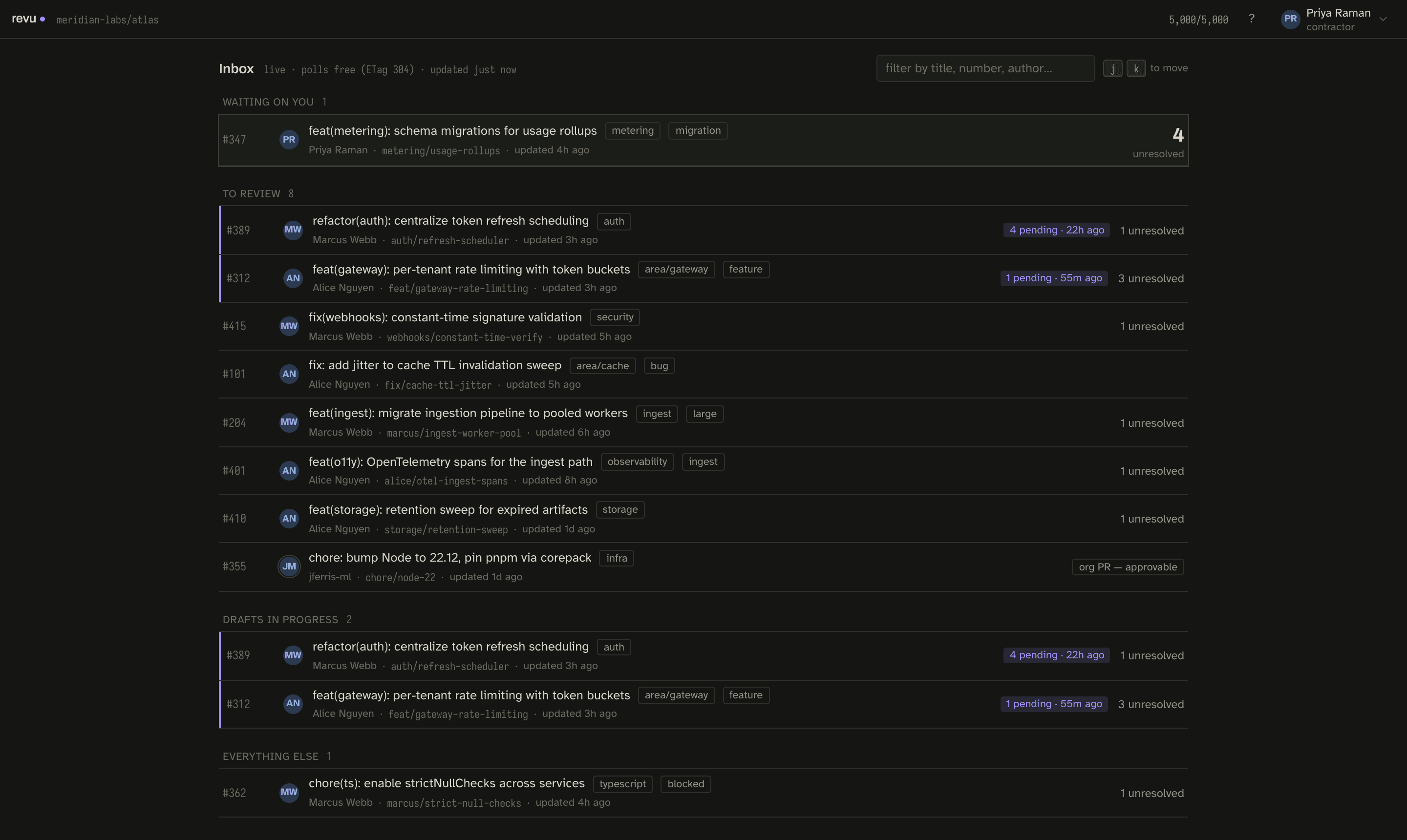
bun run devThis starts the Vite dev server and loads the browser UI against the in-browser mock adapter — no daemon, no GitHub token, no network. Open it at:
http://localhost:5173It is the fastest way to see the whole tool. Every fixture PR exists to make one hard case
concrete, and the dev panel (avatar menu → Dev panel…) switches identity, simulates
latency and failure, and links every scenario. You can force mock mode from any URL by
appending ?mock=1, regardless of configuration.
3. Run direct mode against a real repository
From inside a clone of the repository you want to review:
bun run revud --directOr use the environment variable instead of the flag — both forms are equivalent:
REVU_MODE=direct bun run revudThe daemon reads the target repository from the origin remote
(git remote get-url origin), resolves and validates a GitHub token, and starts an HTTP
server on port 4780. Open the URL it prints to begin reviewing.
If you have not authenticated the GitHub CLI yet:
gh auth loginThe daemon resolves a token in this order: GH_TOKEN, then GITHUB_TOKEN, then
gh auth token. If none produce a token, startup fails with a clear message. The token is
never logged and never sent to the browser. Every comment, reply, and thread resolution
posts to GitHub as your real account.
The daemon also reads your identity from git config — both git config user.name and
git config user.email must be set — and uses the lowercased email as the stable key for
drafts and viewed state. If either is missing, startup fails with an actionable message.
4. Review
The loop, once the daemon is up:
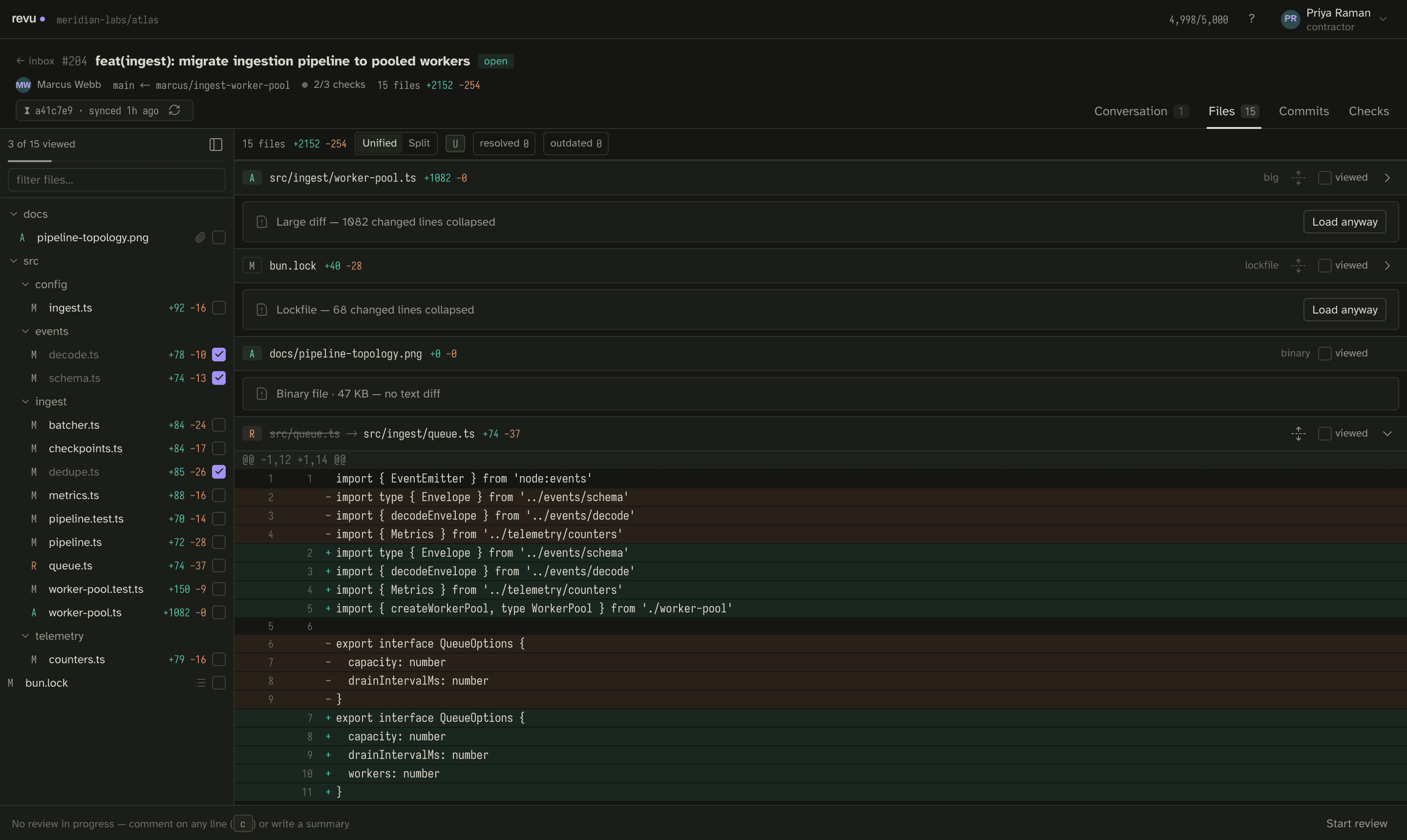
- Sync — click a pull request in the list. The daemon fetches its diff, files, threads, and commits from GitHub and stores them locally.
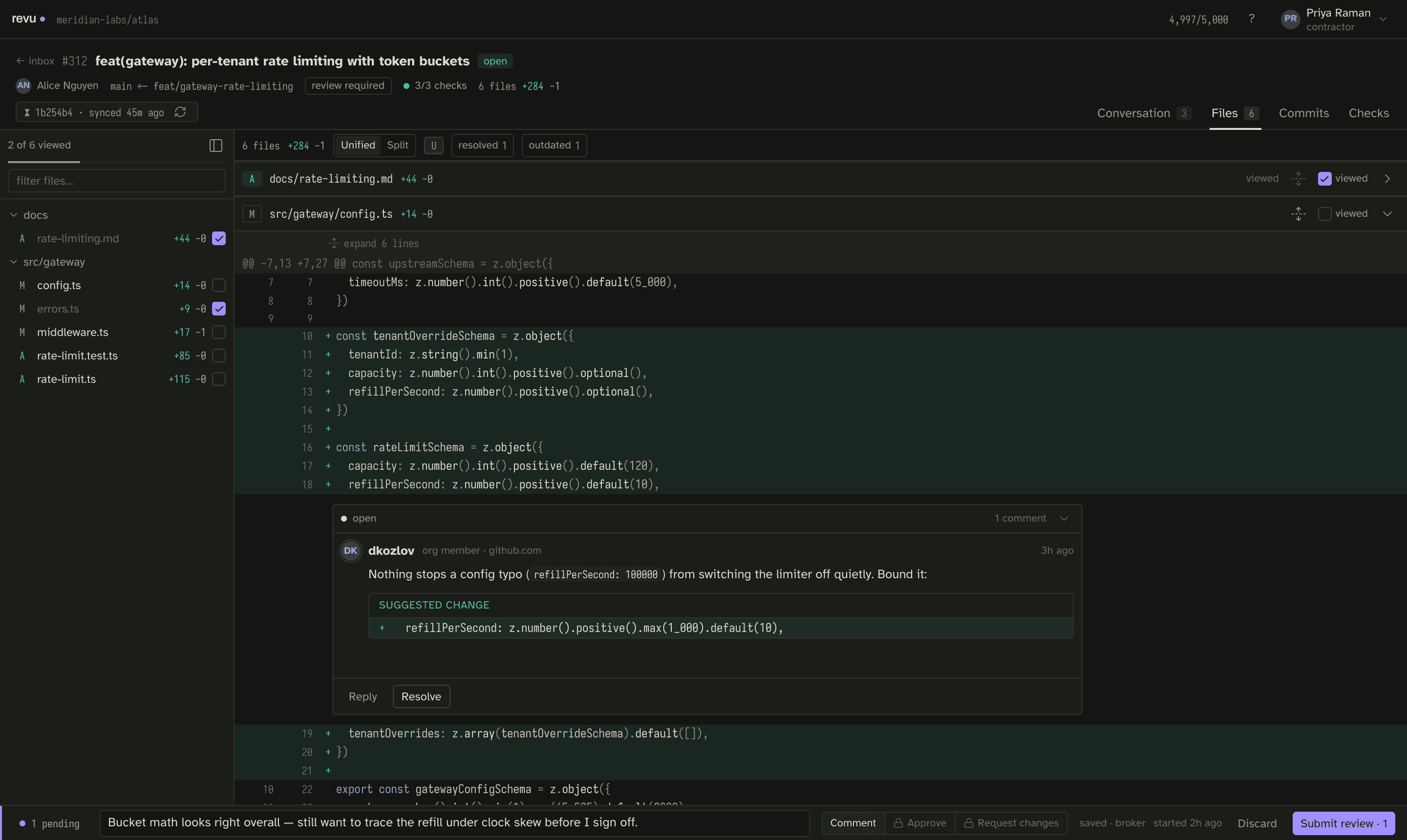
- Comment — open a file, select lines, write inline comments. The draft saves automatically as you type and survives a restart.
- Submit — submit the draft as a
COMMENT,APPROVE, orREQUEST_CHANGESreview. The draft is deleted from disk only on confirmed success. If the PR was force-pushed between sync and submit, that surfaces as a conflict and keeps the draft intact so you can re-sync and resubmit. - Reply — reply to a review thread; replies post as single inline comments.
- Resolve / unresolve — mark a thread resolved or reopen it.
Your email never appears in any GitHub comment body — only your real gh identity is
visible to other reviewers.
Common overrides
Direct mode reads a handful of environment variables. The most common at first run:
| Variable | Default | Purpose |
|---|---|---|
REVU_PORT | 4780 | HTTP server port. |
REVU_REPO | origin remote | Repository override (owner/name); a --repo flag wins over it. |
REVU_DATA_DIR | ~/.local/share/revu | Durable SQLite store (drafts, snapshots, blobs, viewed state). |
REVU_ROLE | contractor | Session role; lead to start as a lead. |
For example, to review a repository other than the one origin points at:
bun run revud --direct --repo octocat/hello-worldThe full set of variables, token scopes, and the durable data directory are covered in Direct mode setup.
Run the check gate
Before any change is ready, the local gate must pass — lint, typecheck, bun test, and the
app build, in order:
bun run checkNext steps
- Overview — what revu is and the design behind it.
- Direct mode setup — every environment variable, token scopes, and the data directory in full.
- Run modes — mock, direct, and the reserved broker mode.
- Concepts — snapshots, drafts, reconcile, the compare key, the rate budget, and identity.
- Keyboard map — the shortcuts; press
?in-app for the full sheet.