Mock mode
In-browser fixtures shaped like GitHub — the permanent demo and semantics oracle, forced with ?mock=1.
Mock mode is revu with the network removed. The frontend binds an in-process mock adapter that serves fixtures shaped exactly like GitHub's REST and GraphQL responses. There is no daemon, no GitHub token, and no request that ever leaves the browser. It is the fastest way to see the whole tool, and it is the same data layer the test suite runs against — the demo and the oracle are one code path, not two.
Running it
From the repo root, with Bun installed:
bun install
bun dev        # http://localhost:5173
That serves the frontend against the in-browser mock. REVU_MODE defaults to
mock, so no configuration is needed to land here.
To force mock mode regardless of how anything else is configured, append
?mock=1 to any URL:
http://localhost:5173/?mock=1?mock=1 is deliberately load-bearing. Mock mode is always available in any
build and is never deleted, so this query parameter is a reliable way to demo
the tool to someone or to bisect a bug ("is this the frontend or the
transport?") without standing up a daemon.
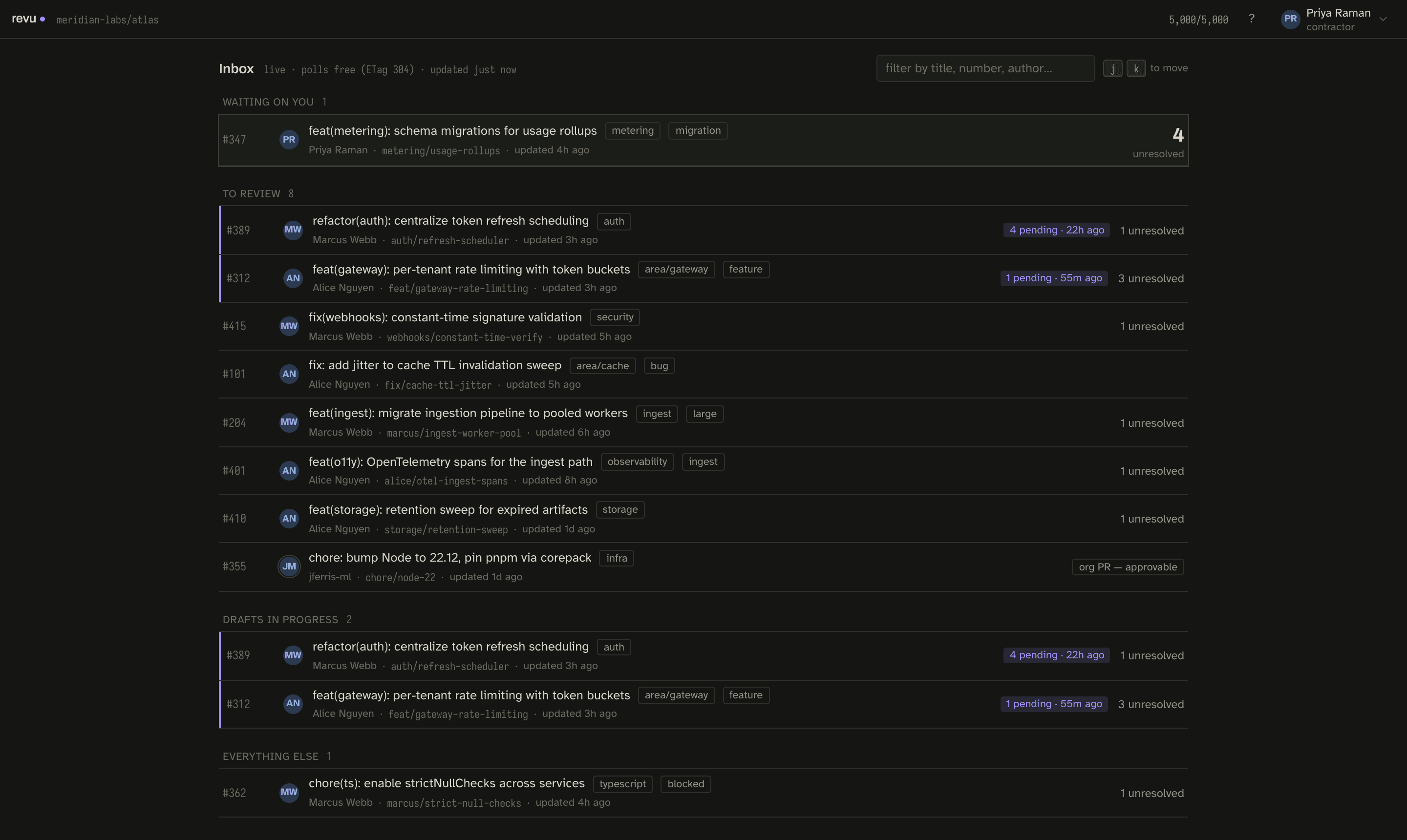
Fixtures shaped like GitHub
The fixtures are not simplified placeholders. Each one is shaped like a real GitHub payload — the same diff format, thread structure, check runs, and commit metadata the real adapters normalize to — so a component that works against the mock works against direct mode unchanged. Each fixture PR exists to make one hard case concrete:
| PR | Demonstrates |
|---|---|
| #101 | First sync — the happy path, with honest request-cost copy. |
| #204 | 2,400-line diff: virtualization, lockfile + big-file collapse, a binary, a rename. |
| #312 | Mid-review: resolved / outdated threads, a suggestion block, reactions, a deep reply chain, a seeded draft. |
| #347 | You authored it — author banner + walk-the-queue mode. |
| #355 | Org-member PR — the one place Approve actually works. |
| #362 | Failing checks (full log excerpt) + merge conflict. |
| #389 | Stale snapshot + draft against an old head → the full reconcile flow (clean / drifted / lost). |
| #401 | Sync dies partway — a partial snapshot that names what's missing; retry fetches only that. |
| #410 | Base branch advanced, head didn't — the diff still changed, and the seal says so. |
| #415 | Thread resolved elsewhere since sync, zero new commits — re-sync reuses every blob. |
The dev panel
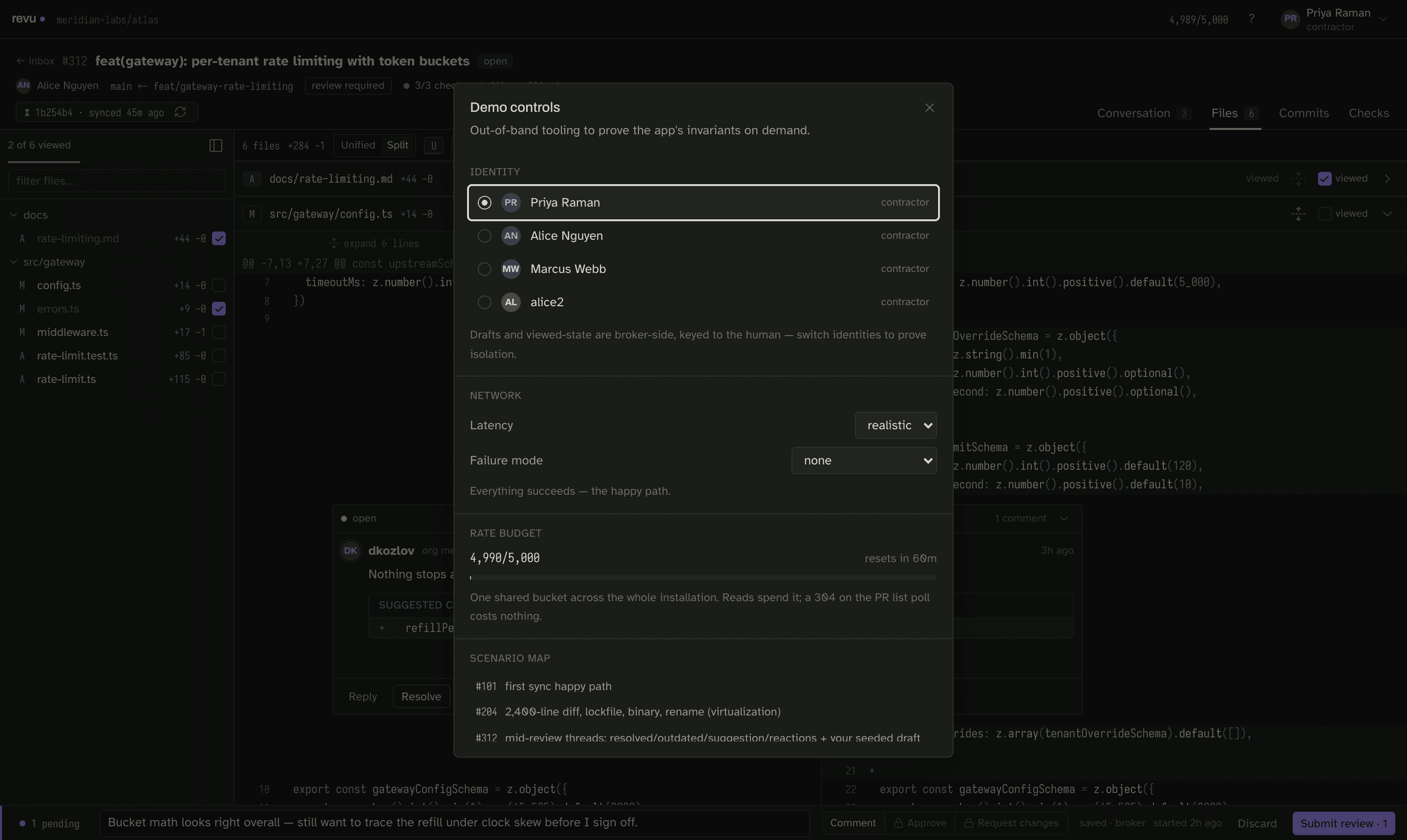
The dev panel (avatar menu → Dev panel…) is the control surface for the mock. It switches identity between fictional contractors, simulates latency and failure modes, shows the shared rate budget, and links every scenario directly. Because identity in mock mode is just a fixture, you can step into any contributor's seat and watch how the inbox, approve gating, and drafts change per person.
The oracle role
Mock mode is not a throwaway that gets replaced once the real transports exist. It is the reference the other adapters are measured against:
-
A cross-transport conformance suite holds every adapter — mock, direct, and broker — to identical
RevuApisemantics, with the mock as the oracle. -
The mock data layer has a headless smoke script that exercises every fixture scenario the UI depends on, no browser needed:
bun run scripts/smoke.ts
Because the mock encodes the intended semantics of the contract, the hard cases it covers — a moved head routing into reconcile, a partial snapshot that names what's missing, a thread resolved elsewhere with zero new commits — are exactly the cases the real adapters are required to reproduce.
The demo scenario is fictional
The company, the contractors in the dev panel, and every PR in the fixtures are invented. Mock mode never touches a real repository or a real identity.
Where to go next
- Direct mode — point revu at a real repository with your own GitHub identity.
- Run modes overview — how the mode is selected and what the three modes share.