Your first sync
Pick a pull request, pull it down as a snapshot, and start reviewing with the network gone.
Reviewing in revu starts with one deliberate action: sync. Syncing pulls a pull request down in a single burst — diff, files, threads, commits, checks — and stores it locally as a snapshot. From that point on you review offline: expand context, read threads, jump between files, and write comments with the network gone.
Follow along in mock mode with fixture #101 — the happy path — then try #204, a 2,400-line diff, to see how the same flow behaves on a large PR.
1. Open the inbox and pick a PR
The inbox is the pull-request list, grouped by what needs doing. Press g then
i to reach it from anywhere.
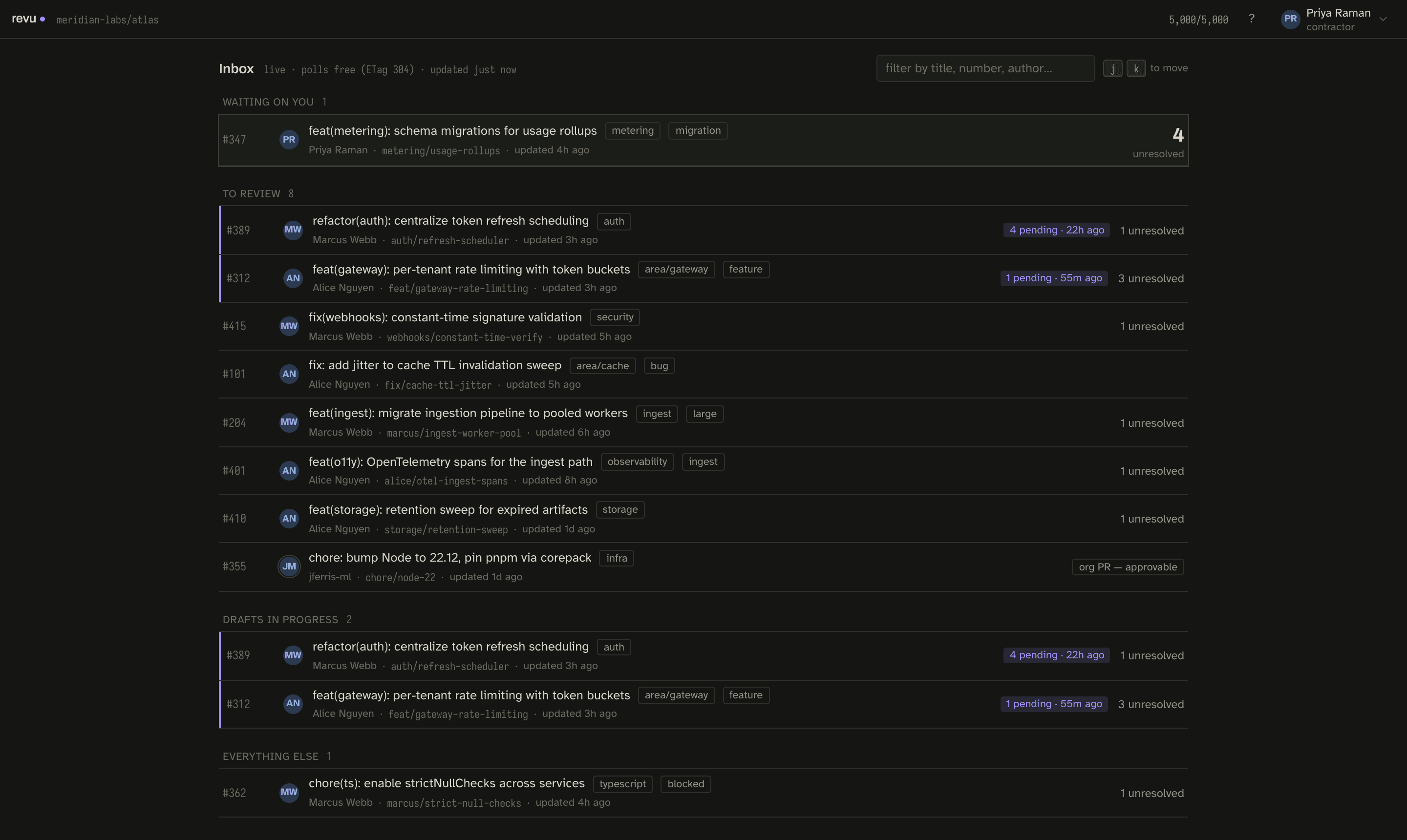
Click a row — or focus it and press ↵ — to sync it. For your first run, pick
#101.
The list itself is the one thing that keeps polling; it refreshes cheaply on
ETag 304 responses, so leaving it open costs almost nothing. See
the rate budget for why that matters.
2. Watch the sync burst
Syncing a PR for the first time is a cold sync: revu fetches the immutable
half (the diff, files, and base-side blobs, keyed by
compareKey) plus the mutable half (threads,
checks, mergeability). A warm re-sync of an already-synced PR skips the immutable
half entirely and reuses every blob.
In direct mode, blob content comes from your local git clone rather than the API — which is what keeps even a large PR cheap. That is why reviewing requires the repository cloned locally.
3. Read the diff
When the sync lands you are on the Files screen: a virtualized, syntax-highlighted diff with a file tree on the left.
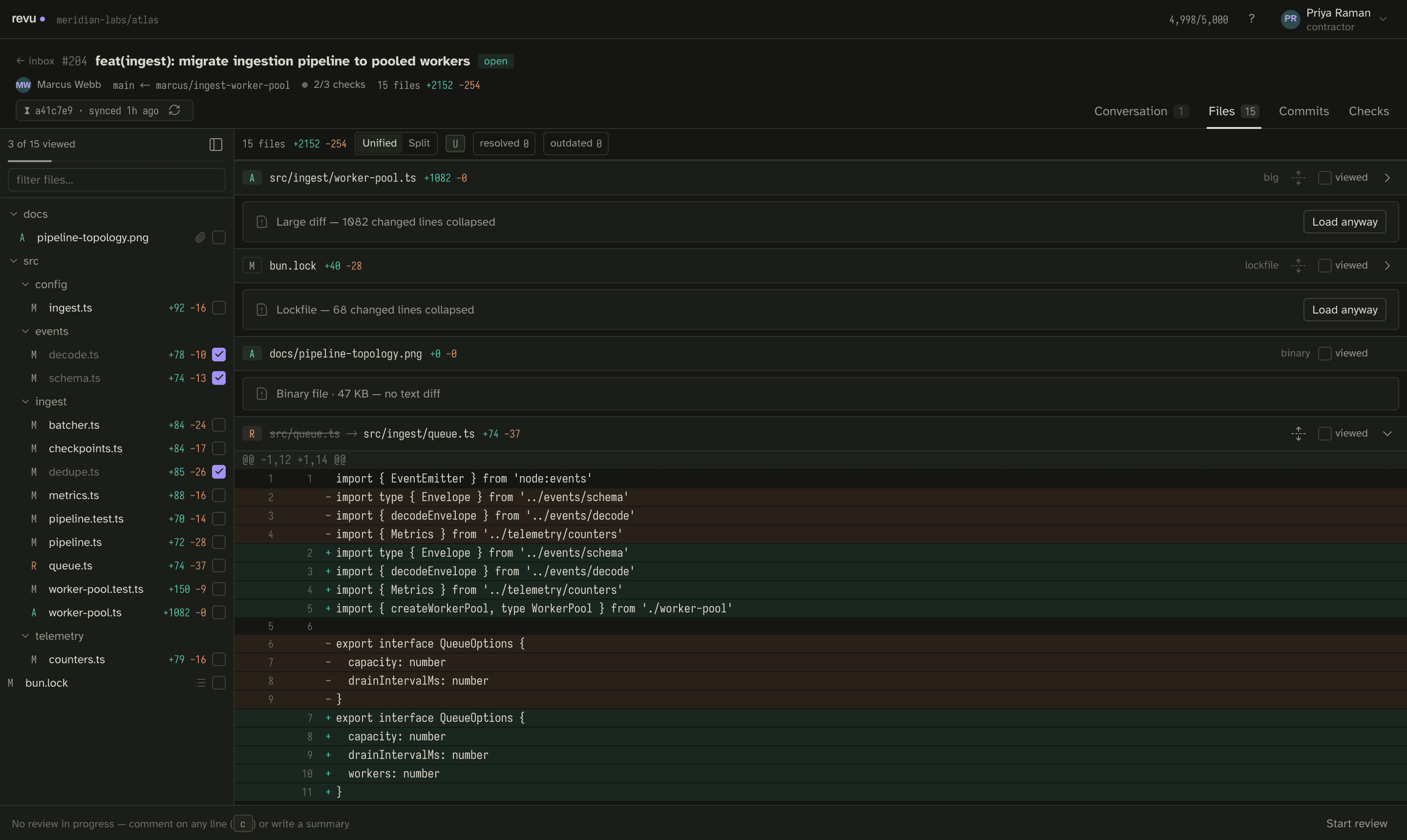
A few things worth knowing on this screen:
- The snapshot seal in the header dates everything you are looking at. It is quiet when fresh and turns gold — with a re-sync action — when the world moved under you. See Snapshots.
- Large files, lockfiles, and binaries collapse by default, behind a Load anyway control, so a 2,400-line diff like #204 stays navigable. #204 also includes a rename and a binary to show how those render.
utoggles unified / split view.j/kmove to the next / previous file.
4. Move around by keyboard
Everything here is keyboard-driven. The keys you need for a first pass:
| Key | Action |
|---|---|
g i | Go to inbox |
g f | Go to files |
j / k | Next / previous file |
n / p | Next / previous thread |
u | Toggle unified / split |
v | Toggle viewed on the focused file |
⇧ R | Re-sync the snapshot |
? | Full keyboard sheet |
Marking files viewed (v) as you go is how you track progress across a big
diff — see Viewed state and reactions.
Next
You have a snapshot and you can read it offline. Now write inline comments into a draft, then submit the review.