Reconcile a moved head
The branch was force-pushed between sync and submit — walk each pending comment through clean, drifted, or lost.
A pending comment is anchored to a specific commit. When the branch is force-pushed between the moment you synced and the moment you submit, those anchors point at code that may have moved or vanished. Most tools throw the review away. revu routes you through reconcile instead: every pending comment gets an explicit decision, and nothing is ever silently discarded.
Follow along in mock mode with fixture #389 — a stale snapshot and a draft against an old head, which triggers the full reconcile flow.
When reconcile happens
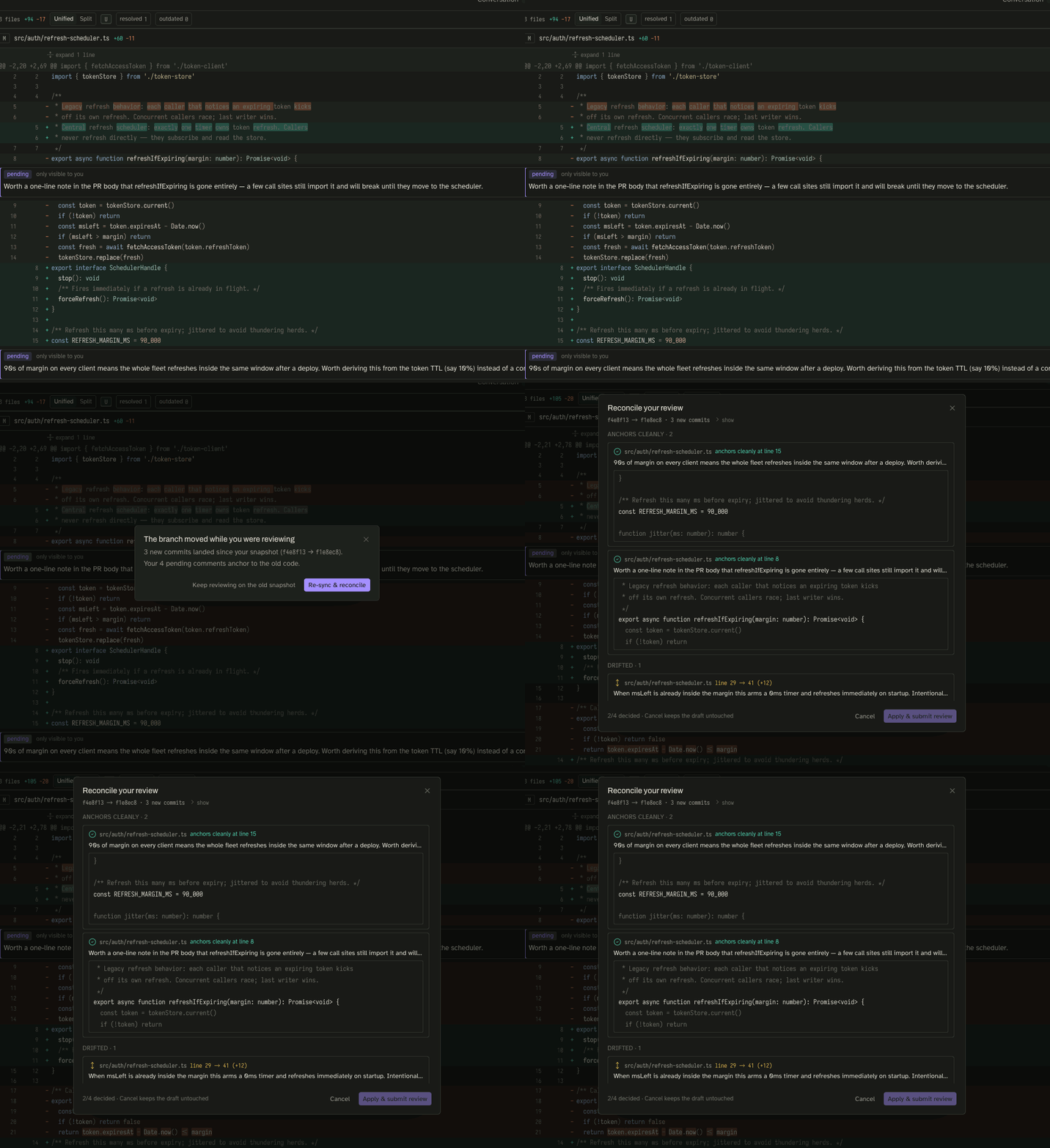
You reach reconcile when you submit a draft and revu's
head guard finds that the PR's head commit is no longer the one your snapshot was
taken against. Submit posts nothing, keeps your draft intact, and opens the
reconcile dialog. You can also re-sync (⇧ R) a PR whose snapshot seal has
gone gold and reconcile from there.
The three classifications
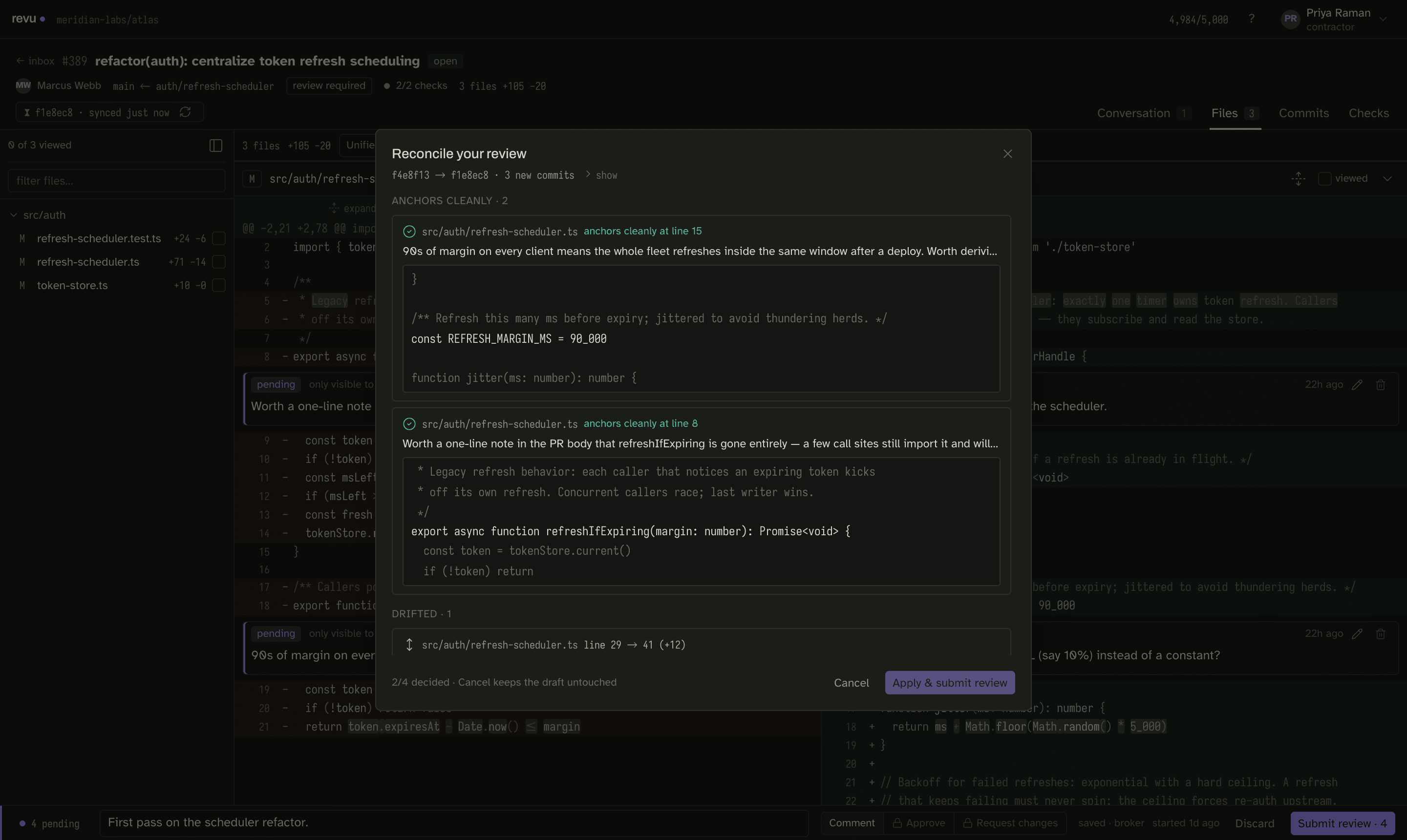
revu re-runs each pending comment's anchor against the new head and sorts it into one of three buckets:
| Class | What it means | Default decision |
|---|---|---|
| Clean | The anchored lines are unchanged on the new head. | Keep — re-anchors automatically. |
| Drifted | The anchored lines moved but still exist. | Re-anchor to the new location, or drop. |
| Lost | The anchored lines are gone on the new head. | Drop, or move to a nearby line. |
Walk the list
- Open reconcile (from a blocked submit, or after a re-sync of a stale snapshot).
- Comments are grouped by class. Clean ones are already handled; review them and move on.
- For each drifted or lost comment, make a decision explicitly: accept the re-anchor, move it to a nearby line, or drop it.
- When every comment has a decision, Apply and submit review — reconcile re-anchors the kept comments and submits in one step. Cancel keeps the draft untouched so you can come back to it.
The classifier that previews these decisions is the exact same code that runs on submit, so what the dialog shows is what actually gets posted. For the full model, see Reconcile.
Related situations the demo covers
Reconcile is one of several ways the world can move under a snapshot. The other fixtures show the neighboring cases:
- #410 — the base branch advanced but the head did not. The diff still
changed (it is a three-dot compare), and the snapshot seal says so. See
compareKeyfor why base moves matter. - #415 — a thread was resolved elsewhere since you synced, with zero new commits. A re-sync reuses every blob and just refreshes the mutable half.
- #401 — a sync died partway through, leaving a partial snapshot that names what is missing; a retry fetches only the missing pieces.
Next
Once reconcile submits cleanly, you are back to the normal loop — read Snapshots to understand what the seal is telling you.