Submitting a review
Submit your draft as Comment, Approve, or Request changes — and what happens when Approve is gated.
Submitting sends your draft to GitHub as a single review. Until you submit, everything is local; on submit, every pending comment posts at once and the draft is deleted from disk — but only on confirmed success.
Follow along in mock mode: #312 for a plain Comment review, and #355 — a PR opened by an org member — for the one fixture where Approve is actually available.
The review bar
The review bar is pinned at the bottom of the review screens. It shows the pending-comment count and the three ways to submit.
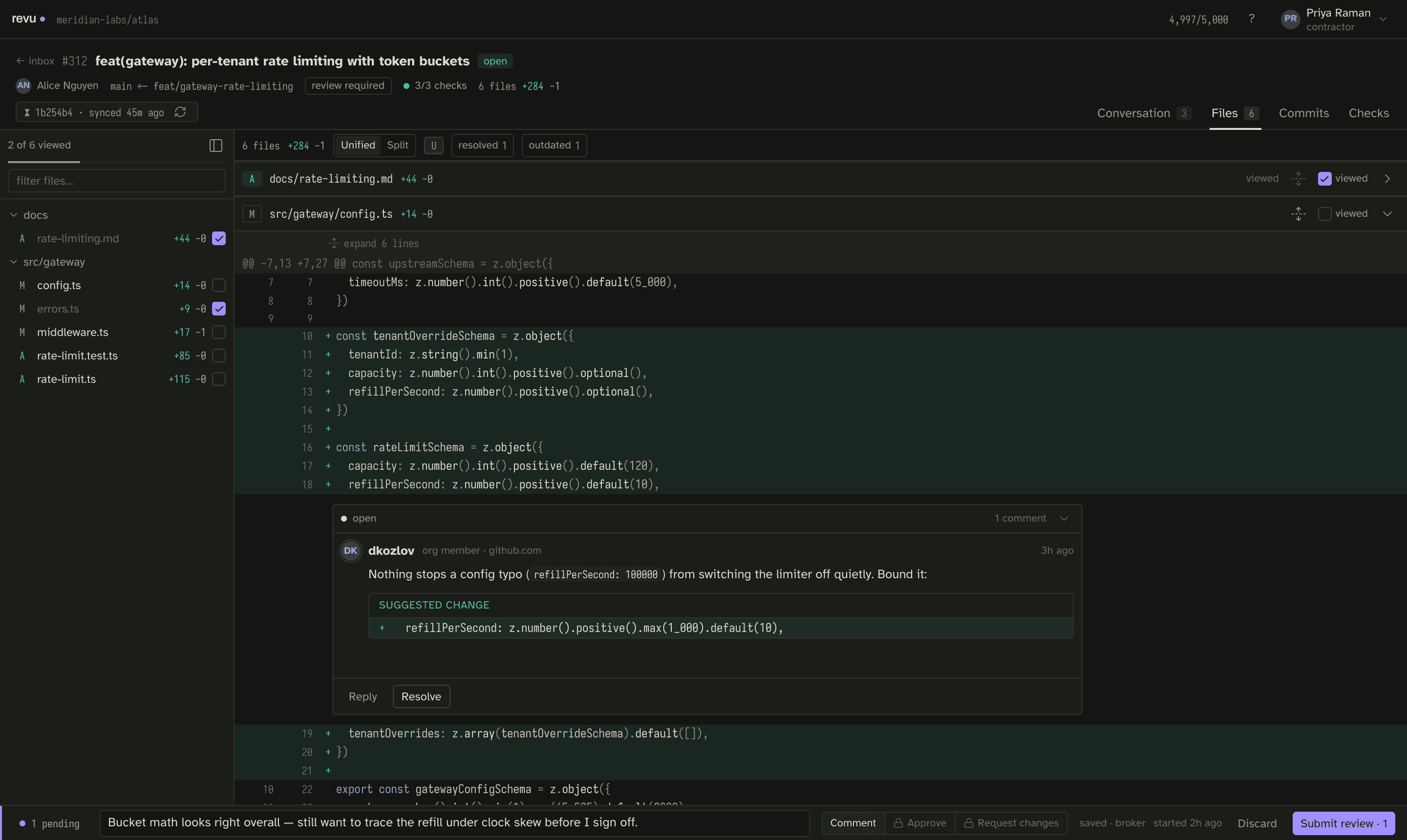
| Action | GitHub event | When |
|---|---|---|
| Comment | COMMENT | Always available. The primary action. |
| Approve | APPROVE | Only when you can approve this PR (see gating below). |
| Request changes | REQUEST_CHANGES | Same gating as Approve. |
Open the bar with s, and submit with the palette (⌘K) or the bar's submit
control. You can add an overall review body alongside the inline comments.
Comment is the primary action
Comment is the action revu leads with, and it is always available. Approve and Request-changes are gated per pull request. When they are unavailable the UI tells you why and what to do instead of graying out a dead end.
Why Approve is sometimes gated
You cannot approve a pull request you cannot review as an independent author. Concretely:
- In direct mode, Approve and Request-changes are live whenever the PR's
author is not you (
pull.user.login !== viewer.login). GitHub authenticates you for real, so these are genuine approvals under your account. - In the reserved broker mode, the shared bot cannot approve a PR it authored, so Approve is gated on any App-authored PR; only PRs opened by real org members can be approved. (Broker mode is designed but not runnable today.)
Fixture #355 is an org-member PR — the one place in the demo where Approve is enabled. Fixture #347, which you authored, is the opposite case: you cannot approve your own PR.
What happens on submit
- revu guards the head first: it checks that the PR's head commit is still the one your snapshot was taken against.
- If the head still matches, it posts one review with all your inline comments and the review body, then deletes the local draft.
- If the head moved — the branch was force-pushed between sync and submit — nothing is posted. Submit surfaces this as a conflict and keeps your draft fully intact, routing you into reconcile so you can re-anchor and resubmit.
The head-moved response is a normal outcome, not an error. Your draft survives everything until it lands. See fixture #389 for the full reconcile flow.
Next
- If submit reports the head moved, walk each comment through reconcile.
- If you opened the PR yourself, work incoming feedback with the author queue.